How to Allow Customers to Schedule Plumbing Appointments When Offices Are Closed
Over 40% of high-margin plumbing emergencies—such as burst water lines, sewer backups, and failing water heaters—occur outside traditional business hours. When a homeowner experiences a late-night leak, they turn to search engines looking for ways to schedule a plumbing appointment when the office is closed.
If that call goes straight to a generic voicemail, over 75% of those callers hang up and immediately dial the next contractor on Google.
For growing plumbing contractors, relying on voicemail or generic after-hours call centers means forfeiting thousands of dollars in emergency revenue every week. By deploying an automated 24/7 plumbing appointment scheduling layer powered by an AI receptionist for plumbers, contractors can capture every after-hours lead, triage emergencies instantly, and sync booked appointments directly into their dispatch board while they sleep.
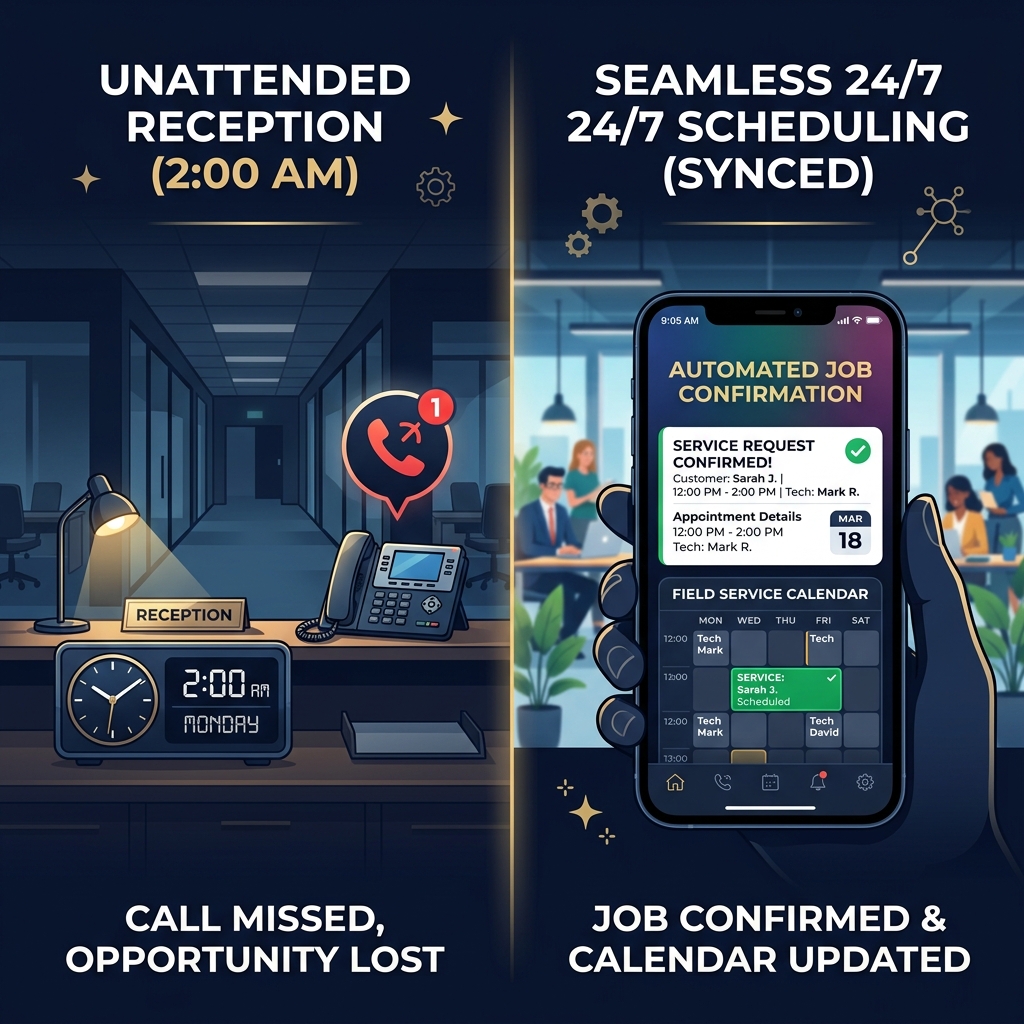
Traditional office hours shouldn't cost you late-night emergency revenue.
The After-Hours Dilemma: Voicemail vs. Call Centers vs. AI Scheduling
When doors close at 5:00 PM, plumbing business owners generally rely on one of three options to manage after-hours intake. Selecting the right model dictates whether a contractor captures late-night revenue or passes it to competitors.
| Feature / Capability | Traditional Voicemail | Human Answering Center | AI 24/7 Booking Platform |
|---|---|---|---|
| Speed to Answer | Unanswered (Voicemail prompt) | Variable (Subject to hold queues) | Instant (Ring one) |
| Emergency Triage | None (Caller leaves message) | Basic script reading | Dynamic trade-specific triage |
| FSM Calendar Sync | Manual data entry next morning | Manual message transcription | Direct real-time two-way sync |
| Concurrent Call Handling | Single call capacity | Limited by operator availability | Unlimited simultaneous calls |
| Operational Overhead | Low (High lost revenue) | High (Metered per-minute fees) | Predictable flat-rate software |
How Automated 24/7 Scheduling Works for Plumbing Contractors
Modern voice automation replaces static web forms and rigid call scripts with interactive, trade-specific natural language processing. Here is the exact step-by-step workflow that turns after-hours phone calls into confirmed calendar jobs:
- Inbound Call at 2:00 AM: The call is answered instantly by the conversational AI front office.
- AI Voice Triage: The system identifies the job type using natural language processing to distinguish between a critical emergency and a routine inquiry.
- Routing Emergencies vs. Routine: For emergencies (e.g. burst pipes), the system triggers instant SMS/Call alerts to on-call techs. For routine inquiries, it reads real-time calendar availability to schedule the customer.
- Real-Time Sync: All details, transcripts, and calendar bookings sync directly to your Field Service Management (FSM) software (ServiceTitan or Housecall Pro).
1. Intelligent Voice Intake & Triage
When a customer calls after hours, an AI receptionist for plumbers answers immediately on the first ring. Using natural language processing, the AI conducts emergency triage:
- Active Emergencies (Burst pipes, mainline backups, gas leaks): The system collects address details and immediately triggers an after hours emergency call dispatch for plumbers, contacting the on-call technician via automated phone call or SMS alert.
- Standard Repairs (Faucets, minor drain clogs, future installs): The system checks real-time technician availability and guides the caller through booking an open calendar slot.
2. Direct Field Service Software Integration
Automated scheduling tools must communicate directly with contractor dispatch software. Systems featuring native ServiceTitan answering service integration or Housecall Pro automated booking for plumbers automatically:
- Verify customer history using caller ID matching.
- Create new customer profiles for first-time callers.
- Drop confirmed appointments into available dispatch windows without double-booking.
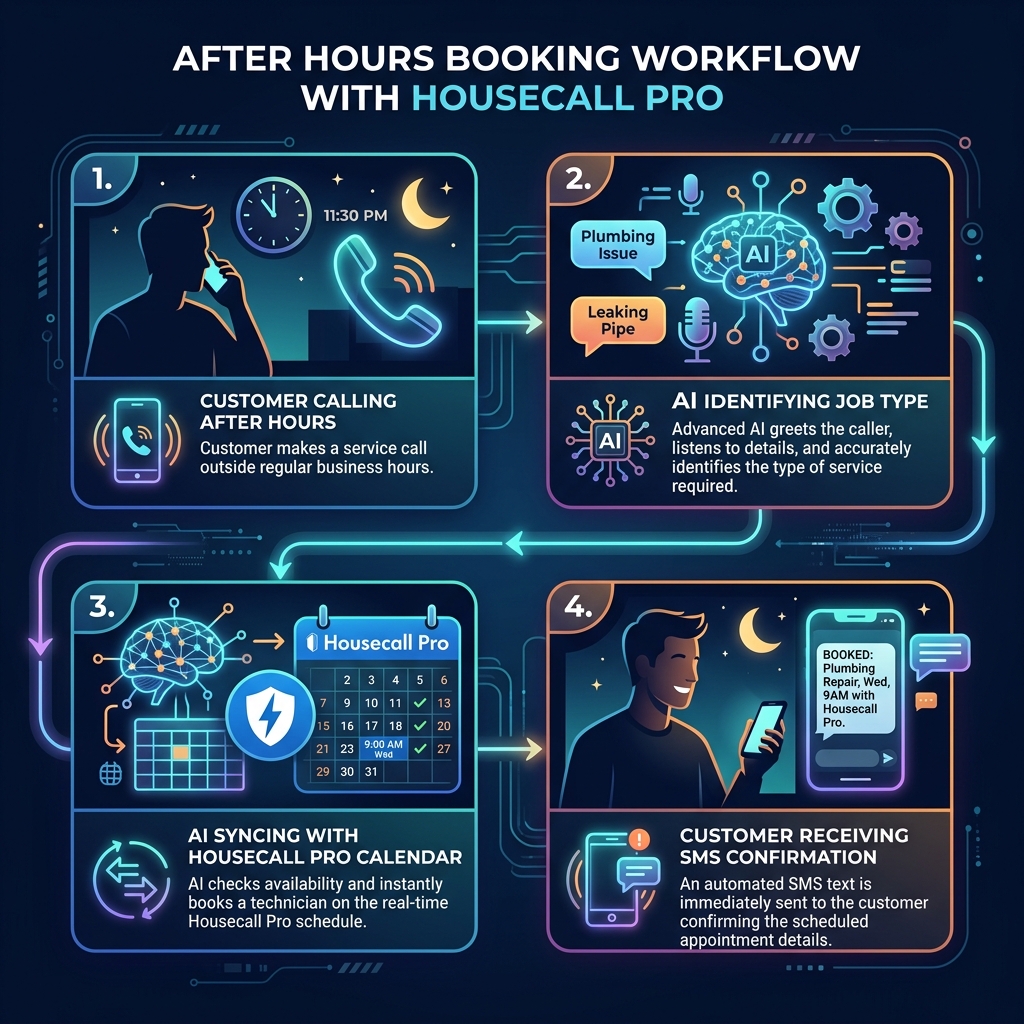
Real-time FSM syncing writes bookings straight into your field service calendars.
Step-by-Step: Setting Up Automated After-Hours Booking
Transitioning a plumbing front desk to automated after-hours scheduling requires zero hardware upgrades and can be completed in four straightforward steps:
- Connect Field Service Software: Link your dispatch platform (ServiceTitan, Housecall Pro, or Jobber) to enable real-time calendar read-and-write permissions.
- Define Emergency Rules: Set specific keywords (e.g., 'flooding,' 'active leak,' 'no water') that trigger immediate technician escalation vs. standard appointment booking.
- Configure Working Hours & Call Forwarding: Set conditional call forwarding on your office landline to route calls to the AI front office after 5:00 PM or whenever line capacity is exceeded.
- Enable SMS Confirmations: Activate automated text message confirmations so customers receive immediate appointment details and peace of mind on their mobile phones.
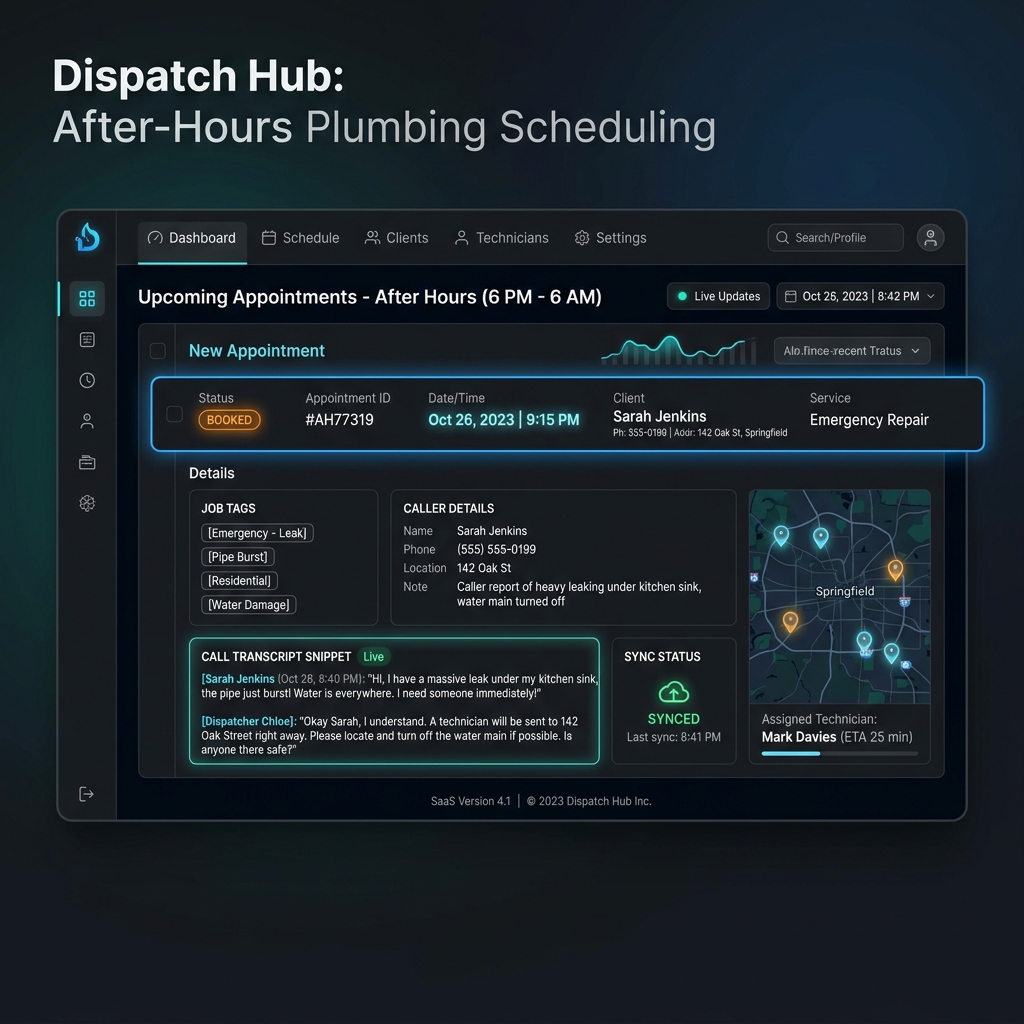
Call logs, transcripts, and FSM booking confirmations visible in the Dakia.ai dashboard.
Stop Missing Revenue When Your Office Is Closed
When homeowners ask how to schedule a plumbing appointment when offices are closed, they are looking for speed, convenience, and immediate relief. Plumbing contractors who rely on outdated voicemails or generic call centers inevitably lose high-value leads to faster competitors.
By deploying an automated AI front office platform like Dakia.ai, contractors ensure that every after-hours call is answered instantly, every emergency is dispatched accurately, and every routine job is booked directly into their schedule 24 hours a day, 7 days a week.
Alex writes about AI integrations, field operations optimization, and modern marketing trends for independent trades and contractors.